


WooCommerce inventory management in 2026: control, fragmentation, and choice
WooCommerce is built on the promise of total control: open-source code, hosting of your choice, and thousands of plugins. The trade-off is a level of fragmentation rarely seen elsewhere. The native inventory feature is intentionally minimalist, and the ecosystem offers dozens of extensions, plugins, and cloud connectors. Choosing the right solution becomes a balancing act between functional depth, database performance, multi-vendor support, and total cost.
This comparison reviews the seven solutions that stand out in 2026 for serious WooCommerce merchants, from the free native plugin to full-blown logistics orchestration platforms. Each solution is rated on its WooCommerce-specific relevance: compatibility, performance, scalability, multi-warehouse support, and 3PL capability.
Why a dedicated inventory management software for WooCommerce
WooCommerce lets you set stock per product, low-stock thresholds, and out-of-stock displays. That's enough to get started. Three turning points push merchants toward a dedicated solution.
WordPress back-office saturation. Beyond a few thousand SKUs, bulk stock editing through the native back-office becomes impractical. A bulk management plugin (Smart Manager, Z Inventory) or a cloud IMS becomes essential.
Going multichannel. WooCommerce doesn't ship with an official marketplace connector the way Shopify does. Selling on Woo plus Amazon plus eBay at the same time requires a cloud IMS (Veeqo, Cin7) or specialized paid plugins.
Moving to a multi-warehouse or 3PL setup. Native plugins rarely handle multi-warehouse natively or correctly. Serious operations switch to a multi-location IMS (Megaventory, ATUM Multi-Inventory) or an orchestration platform (Spacefill) as soon as a second logistics node enters the picture.
Our selection criteria for WooCommerce
The standard IMS criteria apply, but we add dimensions specific to the Woo context:
- Integration mode: native Woo plugin, cloud connector via REST API, or third-party middleware.
- Impact on Woo performance: a heavy plugin can degrade response times. Cloud solutions take the load off the Woo database.
- Multi-vendor compatibility: if you run a Dokan or WCFM marketplace, stock has to sync with vendors.
- Operational scalability: multi-warehouse, forecasting, supplier purchasing, and 3PL integration.
- Total cost: plugin license, cloud subscription, plus the hidden cost of maintenance.
Top 7 Best Inventory Management Software for WooCommerce
1. Spacefill
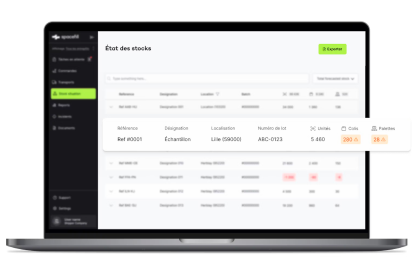
Spacefill is the go-to platform for WooCommerce merchants who have outgrown the native plugin and now coordinate multiple warehouses or external logistics providers. It connects to WooCommerce through an API and syncs orders and stock in real time with your providers' WMS, without forcing a migration on the logistics side.
Best for: mid-market and enterprise WooCommerce merchants, multi-vendor marketplaces that outsource to several 3PLs, and European brands with multi-country warehouses.
Key features: an Order Management System connected to WooCommerce via API, real-time inventory aggregated across all warehouses and providers, a 3PL collaboration platform with shared dashboards, dynamic delivery promises (stock plus carrier capacity), Smart Order AI for B2B orders received outside the Woo storefront, and 3PL Connect with native connectors.
Integrations: WooCommerce via REST API, ERPs, CMS platforms, providers' WMS, carriers, and Zendesk.
Pricing: by quote (book a demo).
Strengths: the only solution that orchestrates WooCommerce, multi-3PL, and retail in a single interface, without replacing your existing systems. 500+ deployments across France and Germany, with reference customers including Ravensburger, Stryker, and Coca-Cola.
Limitations: it really pays off starting at 2 warehouses or 1 outsourced 3PL. A single-warehouse WooCommerce merchant will be better served by ATUM or Cin7.
2. ATUM Multi-Inventory
An open-source WooCommerce extension that adds true multi-warehouse inventory management to the platform. It's the reference among Woo merchants who want to stay in plugin territory rather than move to a cloud IMS.
Best for: DIY WooCommerce merchants, operations that want to keep the entire stack on the server side, and technical teams comfortable with WordPress.
Key features: multi-warehouse support (unlimited with the premium extension), supplier cost tracking, supplier purchase orders, shopping list and threshold alerts, cycle counts, and add-ons (Product Levels, Stock Logs, Purchase Orders Pro).
Integrations: native WooCommerce, MailPoet, and accounting via add-ons.
Pricing: a robust free version, with paid add-ons starting at 99 EUR per year per add-on.
Strengths: open source, no high recurring costs, an active community, and real functional depth for a plugin.
Limitations: it adds weight to the WooCommerce database, isn't built for high-volume multichannel operations, and offers no native 3PL orchestration.
3. Veeqo
A cloud-based multichannel inventory and shipping platform, now owned by Amazon and free for Amazon sellers. Veeqo connects to WooCommerce and syncs stock in real time across Amazon, eBay, Etsy, and more.
Best for: WooCommerce merchants who also sell on Amazon, and DTC brands starting their multichannel journey without an IMS budget.
Key features: real-time multichannel sync, shipping management and label printing, multi-warehouse support, performance reporting, and carrier integrations (Royal Mail, Colissimo, UPS, FedEx, DHL).
Integrations: WooCommerce, Amazon, eBay, Shopify, Etsy, Magento, Mirakl.
Pricing: free for Amazon sellers, with paid plans starting at 0 USD depending on your Amazon profile.
Strengths: aggressive free tier, solid marketplace coverage, and high-quality carrier integrations.
Limitations: lock-in to the Amazon ecosystem (which is the business model), an interface less polished than dedicated competitors, and support quality that varies by plan.
4. Katana Manufacturing ERP
A cloud MRP built for manufacturing, with a native WooCommerce connector. It's widely used by DTC brands that make their own products (cosmetics, food, furniture, artisanal fashion).
Best for: WooCommerce merchants who manufacture (BOMs, production orders), make-to-order businesses, and artisan workshops that are scaling up.
Key features: raw materials and finished goods tracking, visual production planning, bills of materials (BOMs) and assemblies, sales-to-production sync, and manufacturing cost tracking.
Integrations: WooCommerce, Shopify, QuickBooks, Xero, ShipStation.
Pricing: starting at around 179 USD per month.
Strengths: an intuitive visual interface, the right balance of simplicity and depth for manufacturers, and excellent WooCommerce integration.
Limitations: not relevant for pure retailers or distributors, and logistics features stay basic.
5. Smart Manager for WooCommerce
A premium extension from StoreApps designed for bulk SKU management directly inside the WordPress back-office. Smart Manager is the reference for Woo operations that spend their days updating stock.
Best for: WooCommerce merchants with large catalogs, catalog and merchandising teams, and operations that edit hundreds of SKUs each week.
Key features: bulk editing of products, stock, prices, and orders, spreadsheet-style views inside the Woo back-office, advanced filters and search, reusable edit templates, and compatibility with variations, subscriptions, and bookings.
Integrations: native WooCommerce, WooCommerce Subscriptions, WooCommerce Bookings.
Pricing: starting at around 149 USD per year.
Strengths: massive time savings on catalog management, an accessible price point, and a mature, well-maintained plugin.
Limitations: it isn't a full IMS (no forecasting, no advanced multi-warehouse), so pair it with ATUM or a cloud IMS as you scale.
6. Megaventory
A cloud IMS with strong WooCommerce integration, well regarded for its support quality and functional depth for SMBs.
Best for: WooCommerce SMBs that want a cloud IMS without the heaviness of Cin7 or a full ERP, and B2B brands with a few hundred to a few thousand SKUs.
Key features: multi-warehouse and multi-currency inventory, purchase orders, quotes, invoices, light manufacturing (BOMs, kits), reporting and dashboards, and a REST API for customizations.
Integrations: WooCommerce, Shopify, Magento, QuickBooks, Salesforce, Zapier.
Pricing: starting at around 150 USD per month.
Strengths: a balanced feature set, a reputation for quality support, and scalability from SMB to mid-market.
Limitations: a slightly dated interface, and a smaller community than Cin7 or Veeqo.
7. Z Inventory Manager for WooCommerce
A lightweight plugin that adds quick inventory features to the Woo dashboard, without the complexity of ATUM or the cost of a cloud IMS.
Best for: WooCommerce micro-businesses and small SMBs, simple single-warehouse operations, and merchants who want stock tracking that goes a bit further than the native option without reinventing the wheel.
Key features: stock movements (in, out, transfers), movement history, basic purchase orders, threshold alerts, and a simple dashboard.
Integrations: native WooCommerce only.
Pricing: starting at around 49 USD per year.
Strengths: ease of use, a light footprint on Woo performance, and an accessible price point.
Limitations: no multichannel, no advanced multi-warehouse, and no 3PL orchestration.
Comparison table
| Software | Target profile | Mode | Indicative pricing | Woo differentiator |
|---|---|---|---|---|
| Spacefill | Mid-market multi-3PL | Cloud (API) | By quote | Multi-3PL orchestration |
| ATUM Multi-Inventory | DIY multi-warehouse | Woo plugin | Free + add-ons | Mature open source |
| Veeqo | Multichannel Amazon | Cloud | Free (Amazon-dependent) | Marketplace coverage |
| Katana | Manufacturing brands | Cloud | From 179 USD/month | Visual MRP |
| Smart Manager | Catalog management | Woo plugin | From 149 USD/year | Bulk editing |
| Megaventory | B2B SMBs | Cloud | From 150 USD/month | SMB depth |
| Z Inventory Manager | Single-warehouse micro-business | Woo plugin | From 49 USD/year | Light and affordable |
How to choose based on your WooCommerce profile
You want to stay on Woo plugins
If the open-source WooCommerce philosophy matters to you and you're comfortable with WordPress, stay on plugins. ATUM Multi-Inventory for functional depth, Smart Manager for bulk catalog, and Z Inventory Manager for simplicity. They can be combined.
You want to leave the Woo back-office
If the WordPress back-office becomes a bottleneck, move to a cloud IMS. Megaventory for SMBs, Cin7 for scaling DTC brands, and Veeqo if you're heavily Amazon-driven (and the free tier outweighs the ecosystem trade-offs).
You manufacture your products
Katana is built for you. No other tool on this list covers production with the same visual fluidity, and the WooCommerce integration is among the best.
You orchestrate multiple warehouses or a 3PL
This is Spacefill territory. Whether you stay on ATUM on the plugin side or move to a cloud IMS, the moment you start coordinating several logistics nodes, an orchestration layer becomes essential. Spacefill plugs in on top of your existing stack.
Conclusion
WooCommerce offers the broadest flexibility on the market, but that flexibility comes with a cost: the burden of choice and integration falls on the merchant. For a mature single-warehouse setup, ATUM or Smart Manager cover the essentials. For multichannel, Veeqo or Cin7 take over. For manufacturing, Katana stands out. And for merchants orchestrating multiple warehouses, multiple logistics providers, or true omnichannel complexity, Spacefill is the most mature platform on the European market today.
Are you running multiple warehouses or 3PL providers and finding that coordination is becoming a bottleneck for your WooCommerce store? Book a Spacefill demo to see how to unify WooCommerce, your logistics partners, and your carriers in a single platform.
FAQ
Is the free version of ATUM enough to manage a serious WooCommerce inventory?
For a single warehouse with a few thousand SKUs and one Woo store, yes. Free ATUM covers the basics solidly. As soon as you add a second warehouse or want advanced forecasting, you move to paid add-ons or a cloud IMS.
WooCommerce plugin or connected cloud IMS: which should I choose?
Go with a plugin if you want to keep everything on the server side and your volumes are reasonable. Go with a cloud IMS if you want to take the load off the WooCommerce database, manage multichannel, and unlock advanced features (forecasting, purchasing, robust multi-warehouse). Simple rule: switch to cloud as soon as your Woo back-office starts slowing down or you open a marketplace channel.
How do I avoid stock plugin conflicts on WooCommerce?
Three best practices. First, never combine two plugins that modify the same native stock field (for example, ATUM plus Smart Manager can coexist, but ATUM plus another multi-inventory plugin can't). Second, always test on a staging environment before pushing to production. Third, monitor WooCommerce logs and performance after adding a heavy plugin.
My site is multi-vendor (Dokan, WCFM): which solution should I pick?
Native plugin solutions (ATUM, Smart Manager) often handle multi-vendor poorly out of the box. Lean toward a cloud IMS like Megaventory or Cin7 with a multi-vendor connector, or Spacefill if you're orchestrating several logistics providers on top.
What are the best free plugins for WooCommerce?
ATUM (free version) is by far the most complete. Z Inventory Manager offers a trial version. Beyond purely free options, the serious solutions are paid, and that's usually justified once operational complexity ramps up.
How do I connect my 3PL to WooCommerce?
Three options. First, your 3PL has a native WooCommerce integration (rare). Second, you go through middleware (ShipStation, Shippo, Sendcloud). Third, you adopt a logistics orchestration platform like Spacefill, which connects to WooCommerce through an API and routes orders to the provider's WMS without forcing a migration.

.%20Un%20vaste%20espace%20organis%C3%A9%20avec%20des%20rayonnages%20m%C3%A9talliques%20re%20(1).webp?width=352&name=DALL%C2%B7E%202025-01-24%2012.15.39%20-%20Une%20sc%C3%A8ne%20moderne%20repr%C3%A9sentant%20un%20entrep%C3%B4t%20logistique%20de%20type%203PL%20(Third-Party%20Logistics).%20Un%20vaste%20espace%20organis%C3%A9%20avec%20des%20rayonnages%20m%C3%A9talliques%20re%20(1).webp)


